
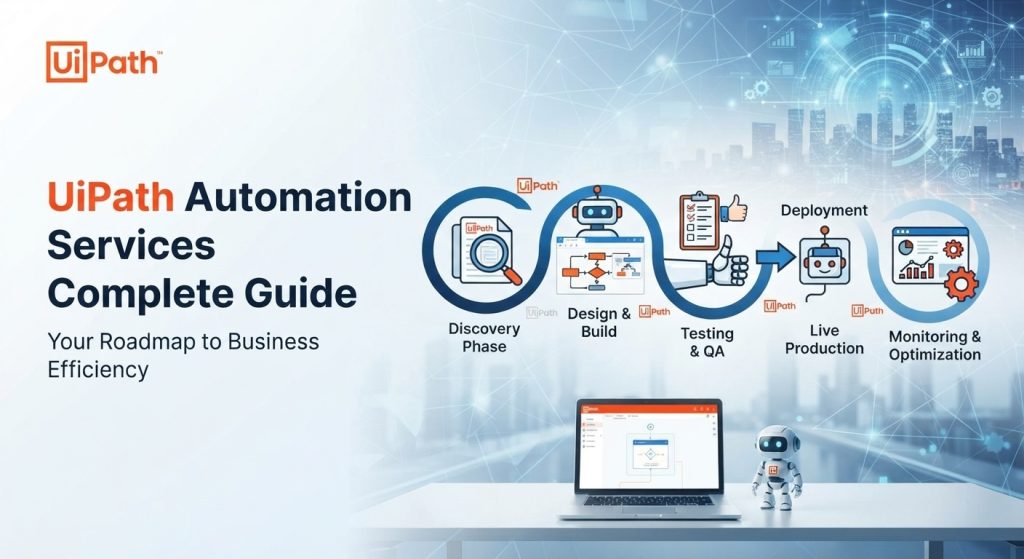
UiPath Automation Services Complete Guide helps businesses automate repetitive and time-consuming tasks using Robotic Process Automation (RPA). UiPath enables companies to create software robots that can perform routine digital tasks quickly, consistently, and efficiently.
From data entry and document processing to reporting and customer service, UiPath automation can help organizations improve productivity while reducing manual work. Automation can also help employees spend more time on tasks that require creativity, problem-solving, and decision-making.
Why Choose UiPath Automation?
Many businesses still rely on repetitive processes that require employees to perform the same tasks every day. These activities can consume valuable time and may increase the possibility of human errors.
As detailed in the UiPath Automation Services Complete Guide, UiPath provides robust automation solutions that can handle repetitive workflows and allow employees to focus on more important responsibilities.
Key Benefits of UiPath Automation
-
Reduce repetitive manual tasks
-
Improve operational efficiency
-
Minimize human errors
-
Save time and operational costs
-
Automate business workflows
-
Improve employee productivity
-
Support digital transformation
-
Create more consistent business processes
How Does UiPath Work?
UiPath uses RPA technology to automate tasks performed on computers and business applications. A typical automation process includes:
-
Identifying repetitive business processes.
-
Analyzing the current workflow.
-
Designing the automation process.
-
Building the workflow using UiPath Studio.
-
Testing the automation.
-
Deploying the automation robot.
-
Monitoring and maintaining the solution.
This approach allows businesses to automate processes while continuing to use their existing applications and systems.
UiPath Automation Services for Businesses
Professional UiPath Automation Services Complete Guide frameworks and methodologies can be applied across many industries and departments. Automation solutions can be customized according to the needs and workflows of each organization.
-
Data Entry Automation UiPath robots can transfer information between applications, spreadsheets, databases, and other business systems. This can reduce repetitive typing and improve data consistency.
-
Document Processing Businesses can automate the processing of invoices, forms, reports, and other documents. Automated document workflows can help employees process large amounts of information more efficiently.
-
Report Automation UiPath can collect information from different sources and generate routine business reports automatically. This can save employees time and reduce repetitive reporting activities.
-
Customer Service Automation Automation can help process customer information, update records, organize data, and perform repetitive administrative tasks. This allows customer service teams to spend more time helping customers.
-
Finance and Accounting Automation Financial departments can automate repetitive activities such as invoice processing, data validation, payment-related workflows, and reconciliation processes.
Why Work With a UiPath Automation Service Provider?
Developing automation internally can require technical knowledge and experience. Following the expert recommendations outlined in the UiPath Automation Services Complete Guide, partnering with a professional provider can help businesses identify suitable processes, develop automation workflows, test solutions, and maintain automated processes.
An experienced provider can also analyze existing workflows and recommend which tasks are suitable for automation. This is important because not every business process needs to be automated. A well-planned automation project should focus on processes that are repetitive, rule-based, and performed frequently. By choosing the right processes, businesses can achieve better results from their automation investment.
UiPath Automation Development Process
A successful UiPath project usually starts by understanding the client’s business process. The development process may include:
-
Business Analysis → Process Design → UiPath Development → Testing → Deployment → Maintenance
During the development stage, automation workflows are designed according to business requirements. Testing is then performed to ensure that the robot works correctly before deployment. After deployment, regular monitoring and maintenance can help ensure that the automation continues to work effectively when business applications or processes change.
The Future of Business Automation
Automation is becoming an important part of digital transformation. As businesses manage larger amounts of data and increasingly complex workflows, automation technologies such as UiPath can help organizations work more efficiently.
As emphasized throughout the UiPath Automation Services Complete Guide, UiPath can also be combined with artificial intelligence and other modern technologies to create smarter automation solutions. This can provide businesses with new opportunities to improve workflows and deliver better services.
Conclusion
UiPath Automation Services Complete Guide insights show that automation provides businesses with a practical way to automate repetitive digital processes, improve productivity, reduce errors, and support digital transformation.
Whether you need data entry automation, document processing, reporting automation, finance automation, or customized RPA solutions, UiPath can be a powerful technology for improving business operations.
If your company is looking for a reliable UiPath Automation Service Provider, choosing an experienced IT automation partner like ichiru system innovation can be an important step toward building an efficient, scalable, and sustainable automation strategy.
External Reference Sources:
-
UiPath Documentation & Platform Overview — Official guidelines on enterprise automation architecture, integration services, and deployment models.
-
UiPath Automation Tutorials & Best Practices — Comprehensive instructions for building, structuring, and scaling browser-based and enterprise-grade robotic workflows.
-
Ultimate UiPath Guide by Ksolves — Strategic overview covering RPA implementation steps, Studio deep dives, and governance best practices.